
QA-Coach3.0.05 - Download
You'll be able to download in few seconds.
Publisher Description
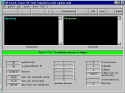
QA-Coach is a question-answer training assistant; it prompts questions selected from a database using a scientific method for optimal memorization of the answers. You can use it to learn vocabulary of a foreign language, mathematical facts and any possible matter presented in form of questions and answers. It stores in a database your performance on each single question and you will be asked questions in the optimal sequence determined by the program based on what happened in the previous tests. You can create and edit your questions and answers using the relevant program functions or import/export them from/to an external text file.
QA-Coach uses Microsoft Access 2000 databases to store questions, answers and test results; however, you do not need to have Access 2000 installed in your computer.
QA-Coach helps you to learn and remember expressions and notions through the use of an innovative time-based technology. Better than a human coach, the system asks you the right questions at the right time, and remembers your learning performance on each single question, over multiple training sessions.
Interacting with QA-Coach is very simple as the system takes most of the decisions necessary to drive the training process. Your usage of the keyboard or mouse is minimized, and you can concentrate on the information to be learned, without having to select the questions to work with, which is done automatically, based on what happened in the current and previous training sessions.
At http://www.cancellieri.org/qa-coach.htm you can find a longer presentation of QA-Coach.
About QA-Coach
This Teaching & Training Tools program is available in English. It was last updated on 29 September, 2026. QA-Coach is compatible with the following operating systems: Windows.
The company that develops QA-Coach is Bruno Cancellieri. The latest version released by its developer is 3.0.05.
The download we have available for QA-Coach has a file size of 4.2 MB. Just click the green Download button above to start the downloading process. The program is listed on our website since 2008-05-12 and was downloaded 0 times. We have already checked if the download link is safe, however for your own protection we recommend that you scan the downloaded software with your antivirus. Your antivirus may detect the QA-Coach as malware if the download link is broken.
How to install QA-Coach on your Windows device:
- Click on the Download button on our website. This will start the download from the website of the developer.
- Once the QA-Coach is downloaded click on it to start the setup process (assuming you are on a desktop computer).
- When the installation is finished you should be able to see and run the program.
Program Details
System requirements
Download information
Pricing
Version History
version 3.0.05
posted on 2008-05-12
Shareware with 30 day expiration
Disclaimer
External Download
We do not host QA-Coach on our servers. We did not scan it for viruses, adware, spyware or other type of malware. This app is hosted by the software publisher and passed their terms and conditions to be listed there. We recommend caution when installing it.
The external download link for QA-Coach is provided to you by apps112.com without any warranties, representations or guarantees of any kind, so access it at your own risk.
If you have questions regarding this particular app contact the publisher directly. For questions about the functionalities of apps112.com contact us.
